Why restaurants choose Lemmon Reservations
Real-time table availability across all devices
See which tables are free, occupied, or reserved — updated live across tablet, desktop, and mobile.
Reservations sync instantly with your POS
Every booking is connected to your orders and payments. No double entry, no mistakes.
Visual floor plan for quick table assignments
Drag and drop reservations onto your custom floor plan. Your team sees the big picture instantly.
Direct booking
Guests book directly with you — no middleman fees. Embed on your website or share via Instagram and Google.
Reservations are created, modified, and managed in the same system as orders and payments. No syncing, no disconnected tools.
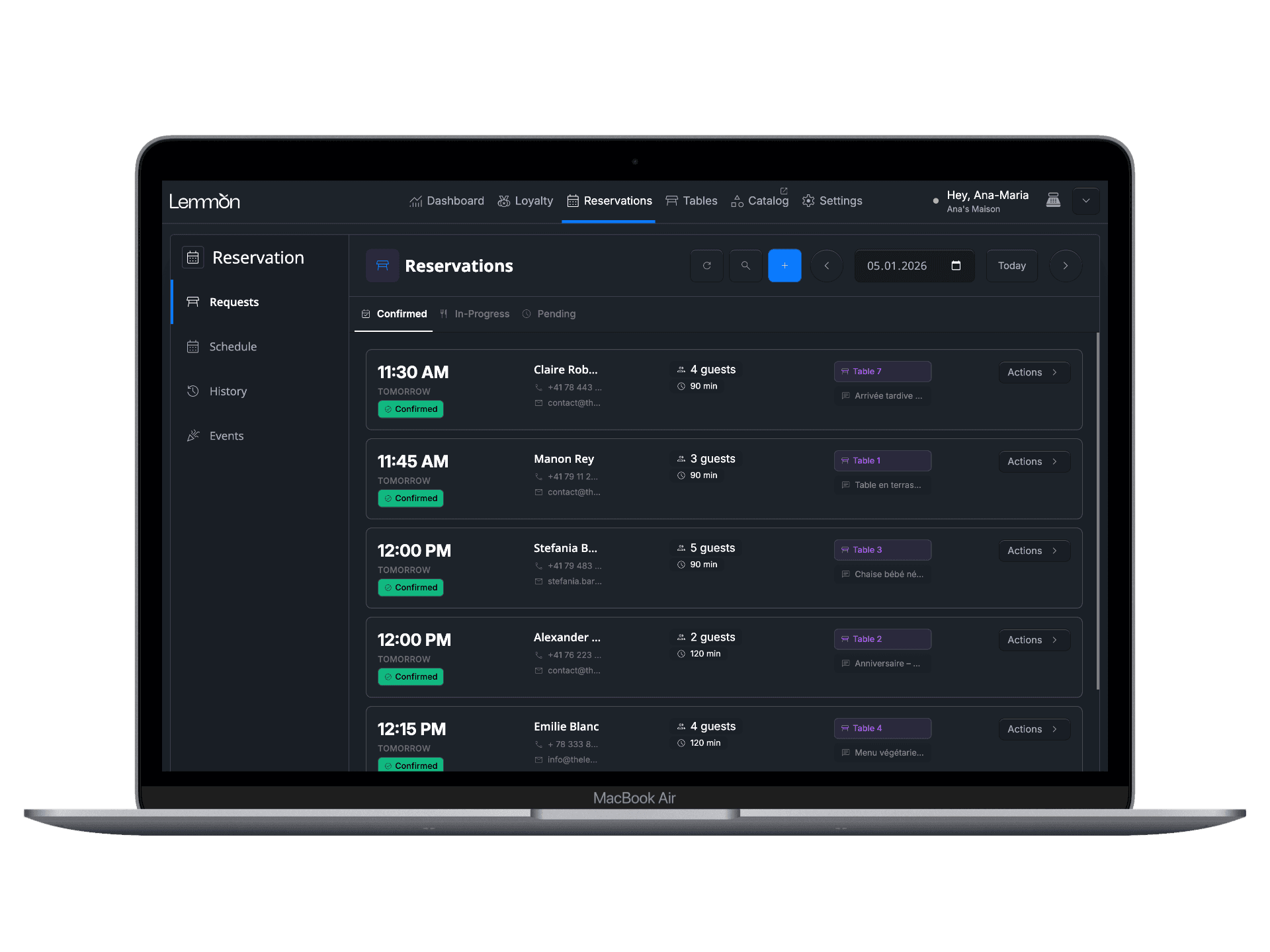
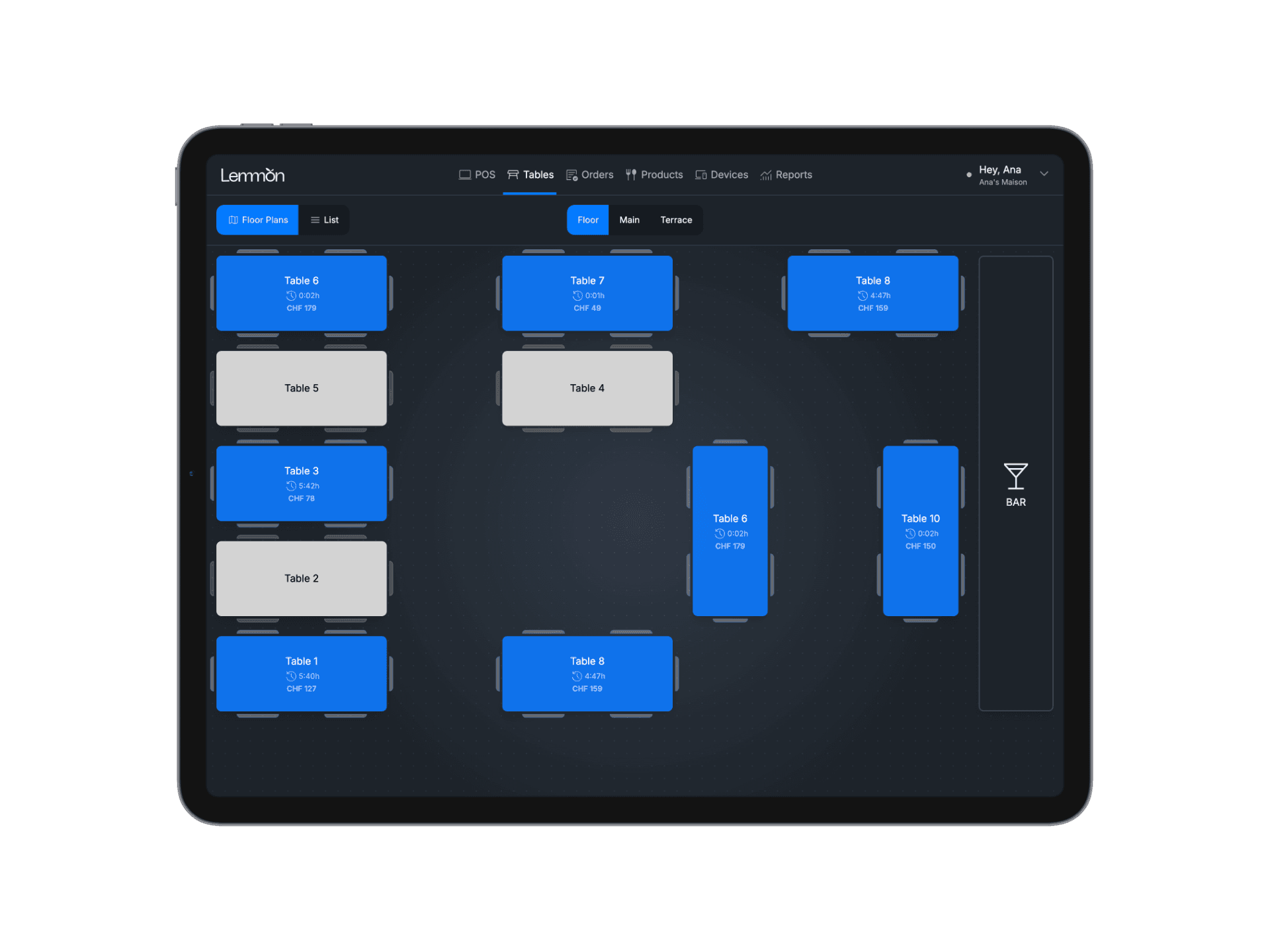

Built for busy teams. No training needed — your staff can manage bookings in seconds with an intuitive visual interface.
Real-time visibility across devices. No switching between apps. Your team stays aligned — even during rush hours.
No third-party fees. No hidden commissions. Just a system that works for your restaurant.
Frequently Asked Questions
Do I need to use the Lemmon POS to use the reservation system?
No. The reservation system can be used on its own if you already have a POS in place. However, when connected to Lemmon POS, it becomes a fully integrated solution that links bookings, tables, and service flow in one system.
How is the reservation system priced?
The reservation system is offered as a separate module. This gives restaurants the flexibility to add it only if they need it, making budgeting clearer and ensuring they only pay for the tools that match their operations.
Is the reservation system available on mobile?
Yes. The system is accessible from mobile devices, allowing teams to manage bookings, check availability, and stay updated on reservations from anywhere. This is especially useful for managers who need visibility even when they are not on-site.
See what one connected platform can do for your restaurant.
